 آموزش برنامه نویسی اندروید |
ساخت صفحه لوگین و ثبت نام با استفاده از php , mysql و sqlite
سلام دوستان با یک آموزش بسیار کاربردی مثل همیشه برگشتیم. هر اپلیکیشنی نیار به یک صفحه login و ثبت نام نیاز دارد ما در این آموزش , آموزش ساخت صفحه لوگین و ثبت نام با استفاده از php , mysql و sqlite رو فرا می گیرد. در ادامه با ما همراه باشید.
ما از کتاب خانه volley برای http request استفاده می کنیم. ارتباط با دیتابیس mysql نیاز به یک REST API دارد. کار REST API گرفتن request ( درخواست ها) از کاربر , ارتباط با دیتابیس و در آخر برگرداندن یک response به کاربر است.
برای تست این آموزش شما می توانید از سرور خود یا شبیه سازهایی مانند wamp یا xampp استفاده کنید.
phpmyadmin را باز کرده و query زیر را درآن اجرا کنید.کد زیر جدول های مورد نیاز را برای ذخیره اطلاعات کاربر برای login را نگه می دارد.
create database android_api /** Creating Database **/
use android_api /** Selecting Database **/
create table users(
   id int(11) primary key auto_increment,
   unique_id varchar(23) not null unique,
   name varchar(50) not null,
   email varchar(100) not null unique,
   encrypted_password varchar(80) not null,
   salt varchar(10) not null,
   created_at datetime,
   updated_at datetime null
); /** Creating Users Table **/
خب در ادامه کار ما نیاز به تعدادی فایل php داریم تا این ارتباطات رو برایمان برقرار کند.
فایل های php که درادامه با آنها کار داریم عبارتند از :
- Config.php
- DB_Connect.php
- DB_Functions.php
- login.php
- register.php
فایل config.php همانند زیر می شود فایل زیر شامل یوزر و پسورد و نام دیتابیس شما می شود.
<?php
/**
 * Database config variables
 */
define("DB_HOST", "localhost");
define("DB_USER", "root");
define("DB_PASSWORD", "root");
define("DB_DATABASE", "android_api");
?>
فایل DB_Connect.php همانند زیر می شود.
<?php
class DB_Connect {
    private $conn;
    // Connecting to database
    public function connect() {
        require_once 'include/Config.php';
        // Connecting to mysql database
        $this->conn = new mysqli(DB_HOST, DB_USER, DB_PASSWORD, DB_DATABASE);
        // return database handler
        return $this->conn;
    }
}
?>
فایل DB_Functions.php همانند زیر می شود. شامل اطلاعاتی مانند hash کردن password کاربر و نگه داشتن یک salt برای هر پسورد و id برای هر کاربر برای انجام کارهایی مانند حذف , آپدیت و غیره مورد استفاده قرار می گیرد.
<?php
class DB_Functions {
    private $conn;
    // constructor
    function __construct() {
        require_once 'DB_Connect.php';
        // connecting to database
        $db = new Db_Connect();
        $this->conn = $db->connect();
    }
    // destructor
    function __destruct() {
    }
    /**
     * Storing new user
     * returns user details
     */
    public function storeUser($name, $email, $password) {
        $uuid = uniqid('', true);
        $hash = $this->hashSSHA($password);
        $encrypted_password = $hash["encrypted"]; // encrypted password
        $salt = $hash["salt"]; // salt
        $stmt = $this->conn->prepare("INSERT INTO users(unique_id, name, email, encrypted_password, salt, created_at) VALUES(?, ?, ?, ?, ?, NOW())");
        $stmt->bind_param("sssss", $uuid, $name, $email, $encrypted_password, $salt);
        $result = $stmt->execute();
        $stmt->close();
        // check for successful store
        if ($result) {
            $stmt = $this->conn->prepare("SELECT * FROM users WHERE email = ?");
            $stmt->bind_param("s", $email);
            $stmt->execute();
            $user = $stmt->get_result()->fetch_assoc();
            $stmt->close();
            return $user;
        } else {
            return false;
        }
    }
    /**
     * Get user by email and password
     */
    public function getUserByEmailAndPassword($email, $password) {
        $stmt = $this->conn->prepare("SELECT * FROM users WHERE email = ?");
        $stmt->bind_param("s", $email);
        if ($stmt->execute()) {
            $user = $stmt->get_result()->fetch_assoc();
            $stmt->close();
            // verifying user password
            $salt = $user['salt'];
            $encrypted_password = $user['encrypted_password'];
            $hash = $this->checkhashSSHA($salt, $password);
            // check for password equality
            if ($encrypted_password == $hash) {
                // user authentication details are correct
                return $user;
            }
        } else {
            return NULL;
        }
    }
    /**
     * Check user is existed or not
     */
    public function isUserExisted($email) {
        $stmt = $this->conn->prepare("SELECT email from users WHERE email = ?");
        $stmt->bind_param("s", $email);
        $stmt->execute();
        $stmt->store_result();
        if ($stmt->num_rows > 0) {
            // user existed
            $stmt->close();
            return true;
        } else {
            // user not existed
            $stmt->close();
            return false;
        }
    }
    /**
     * Encrypting password
     * @param password
     * returns salt and encrypted password
     */
    public function hashSSHA($password) {
        $salt = sha1(rand());
        $salt = substr($salt, 0, 10);
        $encrypted = base64_encode(sha1($password . $salt, true) . $salt);
        $hash = array("salt" => $salt, "encrypted" => $encrypted);
        return $hash;
    }
    /**
     * Decrypting password
     * @param salt, password
     * returns hash string
     */
    public function checkhashSSHA($salt, $password) {
        $hash = base64_encode(sha1($password . $salt, true) . $salt);
        return $hash;
    }
}
?>
و بخش کد register.php همانند زیر می شود.
<?php
require_once 'include/DB_Functions.php';
$db = new DB_Functions();
// json response array
$response = array("error" => FALSE);
if (isset($_POST['name']) && isset($_POST['email']) && isset($_POST['password'])) {
    // receiving the post params
    $name = $_POST['name'];
    $email = $_POST['email'];
    $password = $_POST['password'];
    // check if user is already existed with the same email
    if ($db->isUserExisted($email)) {
        // user already existed
        $response["error"] = TRUE;
        $response["error_msg"] = "User already existed with " . $email;
        echo json_encode($response);
    } else {
        // create a new user
        $user = $db->storeUser($name, $email, $password);
        if ($user) {
            // user stored successfully
            $response["error"] = FALSE;
            $response["uid"] = $user["unique_id"];
            $response["user"]["name"] = $user["name"];
            $response["user"]["email"] = $user["email"];
            $response["user"]["created_at"] = $user["created_at"];
            $response["user"]["updated_at"] = $user["updated_at"];
            echo json_encode($response);
        } else {
            // user failed to store
            $response["error"] = TRUE;
            $response["error_msg"] = "Unknown error occurred in registration!";
            echo json_encode($response);
        }
    }
} else {
    $response["error"] = TRUE;
    $response["error_msg"] = "Required parameters (name, email or password) is missing!";
    echo json_encode($response);
}
?>
و آخرین بخش کد php که به login.php مربوط می شود.
<?php
require_once 'include/DB_Functions.php';
$db = new DB_Functions();
// json response array
$response = array("error" => FALSE);
if (isset($_POST['email']) && isset($_POST['password'])) {
    // receiving the post params
    $email = $_POST['email'];
    $password = $_POST['password'];
    // get the user by email and password
    $user = $db->getUserByEmailAndPassword($email, $password);
    if ($user != false) {
        // use is found
        $response["error"] = FALSE;
        $response["uid"] = $user["unique_id"];
        $response["user"]["name"] = $user["name"];
        $response["user"]["email"] = $user["email"];
        $response["user"]["created_at"] = $user["created_at"];
        $response["user"]["updated_at"] = $user["updated_at"];
        echo json_encode($response);
    } else {
        // user is not found with the credentials
        $response["error"] = TRUE;
        $response["error_msg"] = "Login credentials are wrong. Please try again!";
        echo json_encode($response);
    }
} else {
    // required post params is missing
    $response["error"] = TRUE;
    $response["error_msg"] = "Required parameters email or password is missing!";
    echo json_encode($response);
}
?>
هم اکنون زمان ایجاد پروژه اندروید می رسد یک پروژه ایجاد کرده سپس به بخش gradle رفته و کد های زیر را به آن اضافه کنید.
dependencies {
    compile 'com.android.support:appcompat-v7:23.1.1'
    compile 'com.android.support:design:23.1.1'
    compile 'com.mcxiaoke.volley:library-aar:1.0.0'
}
فایل string.xml را باز کرده و کد های زیر را به آن اضافه کنید.
<?xml version="1.0" encoding="utf-8"?>
<resources>
    <string name="app_name">Android Login and Registration</string>
    <string name="hint_email">Email</string>
    <string name="hint_password">Password</string>
    <string name="hint_name">Fullname</string>
    <string name="btn_login">LOGIN</string>
    <string name="btn_register">REGISTER</string>
    <string name="btn_link_to_register">Not a member? Sign up now.</string>
    <string name="btn_link_to_login">Already registred! Login Me.</string>
    <string name="welcome">Welcome</string>
    <string name="btn_logout">LOGOUT</string>
    <string name="name">Fullname</string>
</resources>
سپس فایل colors.xml را باز کرده کد های زیر رو در آن قرار دهید.
<?xml version="1.0" encoding="utf-8"?>
<resources>
    <color name="bg_login">#26ae90</color>
    <color name="bg_register">#2e3237</color>
    <color name="bg_main">#428bca</color>
    <color name="white">#ffffff</color>
    <color name="input_login">#222222</color>
    <color name="input_login_hint">#999999</color>
    <color name="input_register">#888888</color>
    <color name="input_register_bg">#3b4148</color>
    <color name="input_register_hint">#5e6266</color>
    <color name="btn_login">#26ae90</color>
    <color name="btn_login_bg">#eceef1</color>
    <color name="lbl_name">#333333</color>
    <color name="btn_logut_bg">#ff6861</color>
</resources>
یک کلاس به نام AppConfig.java ایجاد کرده سپس کد های زیر را در آن قرار دهید.
public class AppConfig {
    // Server user login url
    public static String URL_LOGIN = "http://192.168.0.102/android_login_api/login.php";
    // Server user register url
    public static String URL_REGISTER = "http://192.168.0.102/android_login_api/register.php";
}
سپس یک کلاس دیگه به نام AppController.java ایجاد کرده کدهای زیر رو در آن قرار دهید.
import android.app.Application;
import android.text.TextUtils;
import com.android.volley.Request;
import com.android.volley.RequestQueue;
import com.android.volley.toolbox.Volley;
public class AppController extends Application {
    public static final String TAG = AppController.class.getSimpleName();
    private RequestQueue mRequestQueue;
    private static AppController mInstance;
    @Override
    public void onCreate() {
        super.onCreate();
        mInstance = this;
    }
    public static synchronized AppController getInstance() {
        return mInstance;
    }
    public RequestQueue getRequestQueue() {
        if (mRequestQueue == null) {
            mRequestQueue = Volley.newRequestQueue(getApplicationContext());
        }
        return mRequestQueue;
    }
    public <T> void addToRequestQueue(Request<T> req, String tag) {
        req.setTag(TextUtils.isEmpty(tag) ? TAG : tag);
        getRequestQueue().add(req);
    }
    public <T> void addToRequestQueue(Request<T> req) {
        req.setTag(TAG);
        getRequestQueue().add(req);
    }
    public void cancelPendingRequests(Object tag) {
        if (mRequestQueue != null) {
            mRequestQueue.cancelAll(tag);
        }
    }
}
فایل AndroidManifest.xml را باز کرده و سپس کد زیر را در آن تغییر دهید.
<?xml version="1.0" encoding="utf-8"?>
<manifest xmlns:android="http://schemas.android.com/apk/res/android"
    package="info.androidhive.loginandregistration"
    android:versionCode="1"
    android:versionName="1.0" >
    <uses-sdk
        android:minSdkVersion="9"
        android:targetSdkVersion="21" />
    <uses-permission android:name="android.permission.INTERNET" />
    <application
        android:name="info.androidhive.loginandregistration.app.AppController"
        android:allowBackup="true"
        android:icon="@drawable/ic_launcher"
        android:label="@string/app_name"
        android:theme="@style/AppTheme" >
        <activity
            android:name=".LoginActivity"
            android:label="@string/app_name"
            android:launchMode="singleTop"
            android:windowSoftInputMode="adjustPan" >
            <intent-filter>
                <action android:name="android.intent.action.MAIN" />
                <category android:name="android.intent.category.LAUNCHER" />
            </intent-filter>
        </activity>
        <activity
            android:name=".RegisterActivity"
            android:label="@string/app_name"
            android:launchMode="singleTop"
            android:windowSoftInputMode="adjustPan" />
        <activity
            android:name=".MainActivity"
            android:label="@string/app_name"
            android:launchMode="singleTop" />
    </application>
</manifest>
ما نیاز به یک کلاس به نام SessionManager.java داریم تا وضعیت لوگین کاربر رو نگه داریم.
import android.content.Context;
import android.content.SharedPreferences;
import android.content.SharedPreferences.Editor;
import android.util.Log;
public class SessionManager {
    // LogCat tag
    private static String TAG = SessionManager.class.getSimpleName();
    // Shared Preferences
    SharedPreferences pref;
    Editor editor;
    Context _context;
    // Shared pref mode
    int PRIVATE_MODE = 0;
    // Shared preferences file name
    private static final String PREF_NAME = "AndroidHiveLogin";
    private static final String KEY_IS_LOGGEDIN = "isLoggedIn";
    public SessionManager(Context context) {
        this._context = context;
        pref = _context.getSharedPreferences(PREF_NAME, PRIVATE_MODE);
        editor = pref.edit();
    }
    public void setLogin(boolean isLoggedIn) {
        editor.putBoolean(KEY_IS_LOGGEDIN, isLoggedIn);
        // commit changes
        editor.commit();
        Log.d(TAG, "User login session modified!");
    }
    public boolean isLoggedIn(){
        return pref.getBoolean(KEY_IS_LOGGEDIN, false);
    }
}
حالا نیاز به یک کلاس دیگر به نام SQLiteHandler.java داریم تا مقادیر را در دیتابیس وارد کنیم.
import android.content.ContentValues;
import android.content.Context;
import android.database.Cursor;
import android.database.sqlite.SQLiteDatabase;
import android.database.sqlite.SQLiteOpenHelper;
import android.util.Log;
import java.util.HashMap;
public class SQLiteHandler extends SQLiteOpenHelper {
    private static final String TAG = SQLiteHandler.class.getSimpleName();
    // All Static variables
    // Database Version
    private static final int DATABASE_VERSION = 1;
    // Database Name
    private static final String DATABASE_NAME = "android_api";
    // Login table name
    private static final String TABLE_USER = "user";
    // Login Table Columns names
    private static final String KEY_ID = "id";
    private static final String KEY_NAME = "name";
    private static final String KEY_EMAIL = "email";
    private static final String KEY_UID = "uid";
    private static final String KEY_CREATED_AT = "created_at";
    public SQLiteHandler(Context context) {
        super(context, DATABASE_NAME, null, DATABASE_VERSION);
    }
    // Creating Tables
    @Override
    public void onCreate(SQLiteDatabase db) {
        String CREATE_LOGIN_TABLE = "CREATE TABLE " + TABLE_USER + "("
                + KEY_ID + " INTEGER PRIMARY KEY," + KEY_NAME + " TEXT,"
                + KEY_EMAIL + " TEXT UNIQUE," + KEY_UID + " TEXT,"
                + KEY_CREATED_AT + " TEXT" + ")";
        db.execSQL(CREATE_LOGIN_TABLE);
        Log.d(TAG, "Database tables created");
    }
    // Upgrading database
    @Override
    public void onUpgrade(SQLiteDatabase db, int oldVersion, int newVersion) {
        // Drop older table if existed
        db.execSQL("DROP TABLE IF EXISTS " + TABLE_USER);
        // Create tables again
        onCreate(db);
    }
    /**
     * Storing user details in database
     * */
    public void addUser(String name, String email, String uid, String created_at) {
        SQLiteDatabase db = this.getWritableDatabase();
        ContentValues values = new ContentValues();
        values.put(KEY_NAME, name); // Name
        values.put(KEY_EMAIL, email); // Email
        values.put(KEY_UID, uid); // Email
        values.put(KEY_CREATED_AT, created_at); // Created At
        // Inserting Row
        long id = db.insert(TABLE_USER, null, values);
        db.close(); // Closing database connection
        Log.d(TAG, "New user inserted into sqlite: " + id);
    }
    /**
     * Getting user data from database
     * */
    public HashMap<String, String> getUserDetails() {
        HashMap<String, String> user = new HashMap<String, String>();
        String selectQuery = "SELECT  * FROM " + TABLE_USER;
        SQLiteDatabase db = this.getReadableDatabase();
        Cursor cursor = db.rawQuery(selectQuery, null);
        // Move to first row
        cursor.moveToFirst();
        if (cursor.getCount() > 0) {
            user.put("name", cursor.getString(1));
            user.put("email", cursor.getString(2));
            user.put("uid", cursor.getString(3));
            user.put("created_at", cursor.getString(4));
        }
        cursor.close();
        db.close();
        // return user
        Log.d(TAG, "Fetching user from Sqlite: " + user.toString());
        return user;
    }
    /**
     * Re crate database Delete all tables and create them again
     * */
    public void deleteUsers() {
        SQLiteDatabase db = this.getWritableDatabase();
        // Delete All Rows
        db.delete(TABLE_USER, null, null);
        db.close();
        Log.d(TAG, "Deleted all user info from sqlite");
    }
}
حال زمان ساخت اکیتویتی های مربوط به layout است.
و اولین اکتیویتی ما activity_login.xml همانند زیر می شود.
<?xml version="1.0" encoding="utf-8"?>
<LinearLayout xmlns:android="http://schemas.android.com/apk/res/android"
    android:layout_width="fill_parent"
    android:layout_height="fill_parent"
    android:background="@color/bg_login"
    android:gravity="center"
    android:orientation="vertical"
    android:padding="10dp" >
    <LinearLayout
        android:layout_width="fill_parent"
        android:layout_height="wrap_content"
        android:layout_gravity="center"
        android:orientation="vertical"
        android:paddingLeft="20dp"
        android:paddingRight="20dp" >
        <EditText
            android:id="@+id/email"
            android:layout_width="fill_parent"
            android:layout_height="wrap_content"
            android:layout_marginBottom="10dp"
            android:background="@color/white"
            android:hint="@string/hint_email"
            android:inputType="textEmailAddress"
            android:padding="10dp"
            android:singleLine="true"
            android:textColor="@color/input_login"
            android:textColorHint="@color/input_login_hint" />
        <EditText
            android:id="@+id/password"
            android:layout_width="fill_parent"
            android:layout_height="wrap_content"
            android:layout_marginBottom="10dp"
            android:background="@color/white"
            android:hint="@string/hint_password"
            android:inputType="textPassword"
            android:padding="10dp"
            android:singleLine="true"
            android:textColor="@color/input_login"
            android:textColorHint="@color/input_login_hint" />
        <!-- Login Button -->
        <Button
            android:id="@+id/btnLogin"
            android:layout_width="fill_parent"
            android:layout_height="wrap_content"
            android:layout_marginTop="20dip"
            android:background="@color/btn_login_bg"
            android:text="@string/btn_login"
            android:textColor="@color/btn_login" />
        <!-- Link to Login Screen -->
        <Button
            android:id="@+id/btnLinkToRegisterScreen"
            android:layout_width="fill_parent"
            android:layout_height="wrap_content"
            android:layout_marginTop="40dip"
            android:background="@null"
            android:text="@string/btn_link_to_register"
            android:textAllCaps="false"
            android:textColor="@color/white"
            android:textSize="15dp" />
    </LinearLayout>
</LinearLayout>
و بخش LoginActivity.java همانند زیر می شود.
import android.app.Activity;
import android.app.ProgressDialog;
import android.content.Intent;
import android.os.Bundle;
import android.util.Log;
import android.view.View;
import android.widget.Button;
import android.widget.EditText;
import android.widget.Toast;
import com.android.volley.Request.Method;
import com.android.volley.Response;
import com.android.volley.VolleyError;
import com.android.volley.toolbox.StringRequest;
import org.json.JSONException;
import org.json.JSONObject;
import java.util.HashMap;
import java.util.Map;
import info.androidhive.loginandregistration.R;
import info.androidhive.loginandregistration.app.AppConfig;
import info.androidhive.loginandregistration.app.AppController;
import info.androidhive.loginandregistration.helper.SQLiteHandler;
import info.androidhive.loginandregistration.helper.SessionManager;
public class LoginActivity extends Activity {
    private static final String TAG = RegisterActivity.class.getSimpleName();
    private Button btnLogin;
    private Button btnLinkToRegister;
    private EditText inputEmail;
    private EditText inputPassword;
    private ProgressDialog pDialog;
    private SessionManager session;
    private SQLiteHandler db;
    @Override
    public void onCreate(Bundle savedInstanceState) {
        super.onCreate(savedInstanceState);
        setContentView(R.layout.activity_login);
        inputEmail = (EditText) findViewById(R.id.email);
        inputPassword = (EditText) findViewById(R.id.password);
        btnLogin = (Button) findViewById(R.id.btnLogin);
        btnLinkToRegister = (Button) findViewById(R.id.btnLinkToRegisterScreen);
        // Progress dialog
        pDialog = new ProgressDialog(this);
        pDialog.setCancelable(false);
        // SQLite database handler
        db = new SQLiteHandler(getApplicationContext());
        // Session manager
        session = new SessionManager(getApplicationContext());
        // Check if user is already logged in or not
        if (session.isLoggedIn()) {
            // User is already logged in. Take him to main activity
            Intent intent = new Intent(LoginActivity.this, MainActivity.class);
            startActivity(intent);
            finish();
        }
        // Login button Click Event
        btnLogin.setOnClickListener(new View.OnClickListener() {
            public void onClick(View view) {
                String email = inputEmail.getText().toString().trim();
                String password = inputPassword.getText().toString().trim();
                // Check for empty data in the form
                if (!email.isEmpty() && !password.isEmpty()) {
                    // login user
                    checkLogin(email, password);
                } else {
                    // Prompt user to enter credentials
                    Toast.makeText(getApplicationContext(),
                            "Please enter the credentials!", Toast.LENGTH_LONG)
                            .show();
                }
            }
        });
        // Link to Register Screen
        btnLinkToRegister.setOnClickListener(new View.OnClickListener() {
            public void onClick(View view) {
                Intent i = new Intent(getApplicationContext(),
                        RegisterActivity.class);
                startActivity(i);
                finish();
            }
        });
    }
    /**
     * function to verify login details in mysql db
     * */
    private void checkLogin(final String email, final String password) {
        // Tag used to cancel the request
        String tag_string_req = "req_login";
        pDialog.setMessage("Logging in ...");
        showDialog();
        StringRequest strReq = new StringRequest(Method.POST,
                AppConfig.URL_LOGIN, new Response.Listener<String>() {
            @Override
            public void onResponse(String response) {
                Log.d(TAG, "Login Response: " + response.toString());
                hideDialog();
                try {
                    JSONObject jObj = new JSONObject(response);
                    boolean error = jObj.getBoolean("error");
                    // Check for error node in json
                    if (!error) {
                        // user successfully logged in
                        // Create login session
                        session.setLogin(true);
                        // Now store the user in SQLite
                        String uid = jObj.getString("uid");
                        JSONObject user = jObj.getJSONObject("user");
                        String name = user.getString("name");
                        String email = user.getString("email");
                        String created_at = user
                                .getString("created_at");
                        // Inserting row in users table
                        db.addUser(name, email, uid, created_at);
                        // Launch main activity
                        Intent intent = new Intent(LoginActivity.this,
                                MainActivity.class);
                        startActivity(intent);
                        finish();
                    } else {
                        // Error in login. Get the error message
                        String errorMsg = jObj.getString("error_msg");
                        Toast.makeText(getApplicationContext(),
                                errorMsg, Toast.LENGTH_LONG).show();
                    }
                } catch (JSONException e) {
                    // JSON error
                    e.printStackTrace();
                    Toast.makeText(getApplicationContext(), "Json error: " + e.getMessage(), Toast.LENGTH_LONG).show();
                }
            }
        }, new Response.ErrorListener() {
            @Override
            public void onErrorResponse(VolleyError error) {
                Log.e(TAG, "Login Error: " + error.getMessage());
                Toast.makeText(getApplicationContext(),
                        error.getMessage(), Toast.LENGTH_LONG).show();
                hideDialog();
            }
        }) {
            @Override
            protected Map<String, String> getParams() {
                // Posting parameters to login url
                Map<String, String> params = new HashMap<String, String>();
                params.put("email", email);
                params.put("password", password);
                return params;
            }
        };
        // Adding request to request queue
        AppController.getInstance().addToRequestQueue(strReq, tag_string_req);
    }
    private void showDialog() {
        if (!pDialog.isShowing())
            pDialog.show();
    }
    private void hideDialog() {
        if (pDialog.isShowing())
            pDialog.dismiss();
    }
}
و کد بخش activity_register.xml هم به شکل زیر
<?xml version="1.0" encoding="utf-8"?>
<LinearLayout xmlns:android="http://schemas.android.com/apk/res/android"
    android:layout_width="fill_parent"
    android:layout_height="fill_parent"
    android:background="@color/bg_register"
    android:gravity="center"
    android:orientation="vertical"
    android:padding="10dp" >
    <LinearLayout
        android:layout_width="fill_parent"
        android:layout_height="wrap_content"
        android:layout_gravity="center"
        android:orientation="vertical"
        android:paddingLeft="20dp"
        android:paddingRight="20dp" >
        <EditText
            android:id="@+id/name"
            android:layout_width="fill_parent"
            android:layout_height="wrap_content"
            android:layout_marginBottom="10dp"
            android:background="@color/input_register_bg"
            android:hint="@string/hint_name"
            android:padding="10dp"
            android:singleLine="true"
            android:inputType="textCapWords"
            android:textColor="@color/input_register"
            android:textColorHint="@color/input_register_hint" />
        <EditText
            android:id="@+id/email"
            android:layout_width="fill_parent"
            android:layout_height="wrap_content"
            android:layout_marginBottom="10dp"
            android:background="@color/input_register_bg"
            android:hint="@string/hint_email"
            android:inputType="textEmailAddress"
            android:padding="10dp"
            android:singleLine="true"
            android:textColor="@color/input_register"
            android:textColorHint="@color/input_register_hint" />
        <EditText
            android:id="@+id/password"
            android:layout_width="fill_parent"
            android:layout_height="wrap_content"
            android:layout_marginBottom="10dp"
            android:background="@color/input_register_bg"
            android:hint="@string/hint_password"
            android:inputType="textPassword"
            android:padding="10dp"
            android:singleLine="true"
            android:textColor="@color/input_register"
            android:textColorHint="@color/input_register_hint" />
        <!-- Login Button -->
        <Button
            android:id="@+id/btnRegister"
            android:layout_width="fill_parent"
            android:layout_height="wrap_content"
            android:layout_marginTop="20dip"
            android:background="#ea4c88"
            android:text="@string/btn_register"
            android:textColor="@color/white" />
        <!-- Link to Login Screen -->
        <Button
            android:id="@+id/btnLinkToLoginScreen"
            android:layout_width="fill_parent"
            android:layout_height="wrap_content"
            android:layout_marginTop="40dip"
            android:background="@null"
            android:text="@string/btn_link_to_login"
            android:textAllCaps="false"
            android:textColor="@color/white"
            android:textSize="15dp" />
    </LinearLayout>
</LinearLayout>
و در اخر کد RegisterActivity.java همانند زیر می شود.
import android.app.Activity;
import android.app.ProgressDialog;
import android.content.Intent;
import android.os.Bundle;
import android.util.Log;
import android.view.View;
import android.widget.Button;
import android.widget.EditText;
import android.widget.Toast;
import com.android.volley.Request.Method;
import com.android.volley.Response;
import com.android.volley.VolleyError;
import com.android.volley.toolbox.StringRequest;
import org.json.JSONException;
import org.json.JSONObject;
import java.util.HashMap;
import java.util.Map;
import info.androidhive.loginandregistration.R;
import info.androidhive.loginandregistration.app.AppConfig;
import info.androidhive.loginandregistration.app.AppController;
import info.androidhive.loginandregistration.helper.SQLiteHandler;
import info.androidhive.loginandregistration.helper.SessionManager;
public class RegisterActivity extends Activity {
    private static final String TAG = RegisterActivity.class.getSimpleName();
    private Button btnRegister;
    private Button btnLinkToLogin;
    private EditText inputFullName;
    private EditText inputEmail;
    private EditText inputPassword;
    private ProgressDialog pDialog;
    private SessionManager session;
    private SQLiteHandler db;
    @Override
    public void onCreate(Bundle savedInstanceState) {
        super.onCreate(savedInstanceState);
        setContentView(R.layout.activity_register);
        inputFullName = (EditText) findViewById(R.id.name);
        inputEmail = (EditText) findViewById(R.id.email);
        inputPassword = (EditText) findViewById(R.id.password);
        btnRegister = (Button) findViewById(R.id.btnRegister);
        btnLinkToLogin = (Button) findViewById(R.id.btnLinkToLoginScreen);
        // Progress dialog
        pDialog = new ProgressDialog(this);
        pDialog.setCancelable(false);
        // Session manager
        session = new SessionManager(getApplicationContext());
        // SQLite database handler
        db = new SQLiteHandler(getApplicationContext());
        // Check if user is already logged in or not
        if (session.isLoggedIn()) {
            // User is already logged in. Take him to main activity
            Intent intent = new Intent(RegisterActivity.this,
                    MainActivity.class);
            startActivity(intent);
            finish();
        }
        // Register Button Click event
        btnRegister.setOnClickListener(new View.OnClickListener() {
            public void onClick(View view) {
                String name = inputFullName.getText().toString().trim();
                String email = inputEmail.getText().toString().trim();
                String password = inputPassword.getText().toString().trim();
                if (!name.isEmpty() && !email.isEmpty() && !password.isEmpty()) {
                    registerUser(name, email, password);
                } else {
                    Toast.makeText(getApplicationContext(),
                            "Please enter your details!", Toast.LENGTH_LONG)
                            .show();
                }
            }
        });
        // Link to Login Screen
        btnLinkToLogin.setOnClickListener(new View.OnClickListener() {
            public void onClick(View view) {
                Intent i = new Intent(getApplicationContext(),
                        LoginActivity.class);
                startActivity(i);
                finish();
            }
        });
    }
    /**
     * Function to store user in MySQL database will post params(tag, name,
     * email, password) to register url
     * */
    private void registerUser(final String name, final String email,
                              final String password) {
        // Tag used to cancel the request
        String tag_string_req = "req_register";
        pDialog.setMessage("Registering ...");
        showDialog();
        StringRequest strReq = new StringRequest(Method.POST,
                AppConfig.URL_REGISTER, new Response.Listener<String>() {
            @Override
            public void onResponse(String response) {
                Log.d(TAG, "Register Response: " + response.toString());
                hideDialog();
                try {
                    JSONObject jObj = new JSONObject(response);
                    boolean error = jObj.getBoolean("error");
                    if (!error) {
                        // User successfully stored in MySQL
                        // Now store the user in sqlite
                        String uid = jObj.getString("uid");
                        JSONObject user = jObj.getJSONObject("user");
                        String name = user.getString("name");
                        String email = user.getString("email");
                        String created_at = user
                                .getString("created_at");
                        // Inserting row in users table
                        db.addUser(name, email, uid, created_at);
                        Toast.makeText(getApplicationContext(), "User successfully registered. Try login now!", Toast.LENGTH_LONG).show();
                        // Launch login activity
                        Intent intent = new Intent(
                                RegisterActivity.this,
                                LoginActivity.class);
                        startActivity(intent);
                        finish();
                    } else {
                        // Error occurred in registration. Get the error
                        // message
                        String errorMsg = jObj.getString("error_msg");
                        Toast.makeText(getApplicationContext(),
                                errorMsg, Toast.LENGTH_LONG).show();
                    }
                } catch (JSONException e) {
                    e.printStackTrace();
                }
            }
        }, new Response.ErrorListener() {
            @Override
            public void onErrorResponse(VolleyError error) {
                Log.e(TAG, "Registration Error: " + error.getMessage());
                Toast.makeText(getApplicationContext(),
                        error.getMessage(), Toast.LENGTH_LONG).show();
                hideDialog();
            }
        }) {
            @Override
            protected Map<String, String> getParams() {
                // Posting params to register url
                Map<String, String> params = new HashMap<String, String>();
                params.put("name", name);
                params.put("email", email);
                params.put("password", password);
                return params;
            }
        };
        // Adding request to request queue
        AppController.getInstance().addToRequestQueue(strReq, tag_string_req);
    }
    private void showDialog() {
        if (!pDialog.isShowing())
            pDialog.show();
    }
    private void hideDialog() {
        if (pDialog.isShowing())
            pDialog.dismiss();
    }
}
و زمان ساختن اکتیویتی home می شود.
<RelativeLayout xmlns:android="http://schemas.android.com/apk/res/android"
    xmlns:tools="http://schemas.android.com/tools"
    android:layout_width="match_parent"
    android:layout_height="match_parent"
    tools:context="${relativePackage}.${activityClass}" >
    <LinearLayout
        android:layout_width="fill_parent"
        android:layout_height="wrap_content"
        android:layout_centerInParent="true"
        android:layout_marginLeft="20dp"
        android:layout_marginRight="20dp"
        android:gravity="center"
        android:orientation="vertical" >
        <TextView
            android:layout_width="wrap_content"
            android:layout_height="wrap_content"
            android:text="@string/welcome"
            android:textSize="20dp" />
        <TextView
            android:id="@+id/name"
            android:layout_width="wrap_content"
            android:layout_height="wrap_content"
            android:padding="10dp"
            android:textColor="@color/lbl_name"
            android:textSize="24dp" />
        <TextView
            android:id="@+id/email"
            android:layout_width="wrap_content"
            android:layout_height="wrap_content"
            android:textSize="13dp" />
        <Button
            android:id="@+id/btnLogout"
            android:layout_width="fill_parent"
            android:layout_height="wrap_content"
            android:layout_marginTop="40dip"
            android:background="@color/btn_logut_bg"
            android:text="@string/btn_logout"
            android:textAllCaps="false"
            android:textColor="@color/white"
            android:textSize="15dp" />
    </LinearLayout>
</RelativeLayout>
و بخش کد MainActivity.java را باز کرده و کد زیر در آن قرار دهید.
import info.androidhive.loginandregistration.helper.SQLiteHandler;
import info.androidhive.loginandregistration.helper.SessionManager;
import java.util.HashMap;
import android.app.Activity;
import android.content.Intent;
import android.os.Bundle;
import android.view.View;
import android.widget.Button;
import android.widget.TextView;
public class MainActivity extends Activity {
    private TextView txtName;
    private TextView txtEmail;
    private Button btnLogout;
    private SQLiteHandler db;
    private SessionManager session;
    @Override
    protected void onCreate(Bundle savedInstanceState) {
        super.onCreate(savedInstanceState);
        setContentView(R.layout.activity_main);
        txtName = (TextView) findViewById(R.id.name);
        txtEmail = (TextView) findViewById(R.id.email);
        btnLogout = (Button) findViewById(R.id.btnLogout);
        // SqLite database handler
        db = new SQLiteHandler(getApplicationContext());
        // session manager
        session = new SessionManager(getApplicationContext());
        if (!session.isLoggedIn()) {
            logoutUser();
        }
        // Fetching user details from sqlite
        HashMap<String, String> user = db.getUserDetails();
        String name = user.get("name");
        String email = user.get("email");
        // Displaying the user details on the screen
        txtName.setText(name);
        txtEmail.setText(email);
        // Logout button click event
        btnLogout.setOnClickListener(new View.OnClickListener() {
            @Override
            public void onClick(View v) {
                logoutUser();
            }
        });
    }
    /**
     * Logging out the user. Will set isLoggedIn flag to false in shared
     * preferences Clears the user data from sqlite users table
     * */
    private void logoutUser() {
        session.setLogin(false);
        db.deleteUsers();
        // Launching the login activity
        Intent intent = new Intent(MainActivity.this, LoginActivity.class);
        startActivity(intent);
        finish();
    }
}
حالا زمان تست برنامه است و تمام شد در آینده تمامی بخش ها توضیح داده خواهد شد.
انشاالله که مفید بوده باشد.




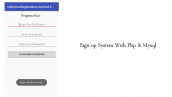

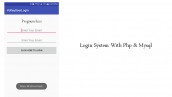
با عرض سلام و خسته نباشید
و تشکر از سایت خوب شما من کل مراحلو رفتم و اپم اجرا شد ولی تو صفحه لوگین ایمیل و پسورد میزنم دکمه رو که میزنم خطا میده و چیزی توی دیتابیس ذخیره نمیشه . همچنین رجیستر . xzamp هم موردی نداره و درست اجرا شده
چک کنید مراحل رو به درستی رفته باشید بخشی از فایل ها در پوشه ای به نام include قرار دارد بخش log را قرار دهید تا بررسی کنیم.
موفق باشید.
سلام
منم مراحل رو دقیق رفتم،اما موقع ثبت نام یا ورود دچار خطا میشم و از اَپ میاد بیرون
خودم فکر میکنم برای ارتباط با دیتابیس به مشکل میخوره.اگر مشکل رو فهمیدید به منم بگید.
ممنون
سلام لطفا log برنامه خود را قرار دهید تا بررسی کنیم توصیه می کنیم هنگام اجرا اپلیکیشن از بخش Android Monitor بررسی کنید در چه خطی خطا دارید در صورتی که ارتباط با دیتابیس به درستی انجام نشود برنامه کرش می دهد.
موفق باشید.
وقتی که میخوام یه کاربر جدید وارد کنم اپ با پیغام”unfortunately ,appname has stopped” بسته میشه
توی Android Monitor لاگی که میندازه اینه:
بخش مهم اپ که AndroidManifest.xml است را فراموش کردید باید Appcontroller که تعریف شده در آنجا قرار گیرد.
سلام خسته نباشید .
این کد ها دارایه کد تایید برای ایمیل و فراموشی رمز عبور هستن ؟؟
سلام خیر
اموزش هاتون خیلی خوب میشه لطف کنید اموزش این رو هم قرار بدین چون لاگین خالی بدون اینا خیلی کاربرد نداره و نمونش توی هیچ سایت دیگه ای هم ندیدم,تشکر
سلام آموزش های مختلفی برای ثبت نام ولاگین در سایت موجود است جستجو کنید.
موفق باشید.
سلام این اموزش میتونه جلوگیری از ارسال دیتا های نال کنع یعنی مثلن وقتی روی باتن کلیک شد توی دیتابیس دیتای خالی نفرسته
تمامی کار هارو انجام دادم و خطای زیر رو داد http://uupload.ir/files/x86j_screenshot_(161).png
و اینکه لاگین پی اچ پی با ریجستر پی اچ پی ارور http 500 میدن
سلام شما باید Appconroller را در Manifest تعریف کنید که نکردید علت خطای 500 php می تونه هزاتا دلیل داشته باشه مثلا اشتباه نوشته شدن syntax فعال نبودن یکی از ویژگی های استفاده شده درآنها و…
سلام این دیتابیس نداره
سلام خیر
سلام
این آموزش رو انجام دادم البته با هاست رایگان گیگفا ولی برنامه کار خاصی انجام نمیده و فقط اجرا میشه و گویا ارتباطی با سرور برقرار نمیشه که مثلا چیزی ثبت بشه یا .. . (وقتی رو دکمه ها میزنم پروگرسبار لاگ این میاد و میره)
میشه بگید دقیقا کجاها رو باید تغییر بدم نسبت به این آموزش که روی شبیه سازه ؟
config.php رو هم تغییر دادم .
سلام خسته نباشید
من برنامه را نوشتم و اجرا کردم اطلاعات کاربر در پایگاه داده ذخیره می شه و مشکلی نداره فقط در موقع ورود کاربر با همان مشخصاتی که ذخیره کرده ام با خطای زیر مواجه می شوم
jsonerror:value<br of type java.lang.string cannot be converted to Jsonobject
لطفا بنده را راهنمایی نمایید
باتشکر
سلام لطفا خروجی url که بهش request میزندید را قرار دهید.
سلام
من طبق این انجام دادم و برنامه باز میشه موقع ثبت نام مشخصات ساخته میشه و در دیتابیس ثبت میشه اما وارد نمیشه
با همون مشخصات وارد میکنم ولی وارد نمیشه و البته خطایی هم نمیده
سلام
من طبق این انجام دادم و برنامه باز میشه موقع ثبت نام مشخصات ساخته میشه و در دیتابیس ثبت میشه اما وارد نمیشه
فایل log هاست رو که میبینم این ارور رو داده
-PHP Fatal error: Call to undefined method mysqli_stmt::get_result() in …/android_login_api/include/DB_Functions.php on line 59
تو خط 59 هم این کد هست $user = $stmt->get_result()->fetch_assoc();
لطفا کمک کنید
سلام و درود
به احتمال بالا هاست شما از نسخه Php پایین استفاده می کند می توانید کد را در xampp تست بکنید مشکلی ندارد.
ممنون از جوابتون
نسخه php هاست رو از 5.6 به 7.0 و حتی 7.2 تغییر دادم ولی بازم کار نکرد
هاستینگ میگه سرور مشکلی نداره
لطفا کمک کنید واقعا آزار دهنده شده چند روزه این ارور ممنون
سلام و درود نمیدونم علت خطا چی هست من خودم تست گرفتم مشکلی وجود نداشته
سلام کد های رو که زدم بعدش از ریسورس مشکل گرفت
سلام خدمت دوستان و همچنین نوسنده گرامی
من این پروژه رو انجام دادم طبق راهنما و به چند تا مشکل برخوردم که یکی یکی مشکلاتم رو میگم و راه حلی که براشون پیدا کردم هم میگم
1_در فایل manifest.xml چند تا ارور بود که اولیش مربوط به نام package بود و بعدیش ic_luncher رو قرمز کزده بود
راه حل اسم کامل package من این بود com.example.login و اسم کامل package برنامه هست info.androidhive.loginandregistration
برای رفع این مشکل من چون مبتدی هستم به صورت دستی تمام پوشه هایی که اسمشون com بود رو توی محل قرارگیری برنامم پیدا کردم و به info اسمشون رو تغییر دادم داخل همه این پوشه پوشه ای به اسم example وجود داشت اسم همه اوناروهم به androidhive تغییر دادم وتوی برنامم همه چی درست شد به جز قسمت اخر یعنی اسمی که برای پروژم انتخاب کرده بودم و اونو هم با کلید بر روی پوشه های زیرشاخه java و زدن گزینه refactor و وارد کردن نام loginandregistration درست شد.
راه حلم برای قرمز شدن ic_launcher هم قرار داد یه عکس با همین نام داخل پوشه drawable بود
2_ گیر دادن اندروید استودیوم به ورژن سه فایل که گفته شد به به build اضافه کنم
راه حل به مسیر file/project structure/appDependencies رفتم و علامت + رو زدم تو پنجره ای که باز شد تک تک اون سه تارو بدون عدد آخرشون نوشتم و سرچ کردم آخرین ورژنی که متناسب با اندروید استودیو بود پیدا کرد و ادد کردم
3_کارنکردن فرم ثبت نام و اضافه نشدن مشخصاتی که تو فرم وارد میکنیم به دیتابیس
راه حل توی کلاس AppConfig.java برای اتصال به سرور چه تو url ثبت نام چه تو ورود باید ادرس درست وارد کنیم برای مثال اگه شما قصد اتصال هاست خودتون رو دارید باید اسم هاست رو وارد کنید به طور کامل و اگه میخواید به wampserver یا xampserver وصل بشید باید از مسیر run (کلید ویندوز +R) وارد بشید عبارت cmd رو بزنید سپس وارد محیط cmd میشید عبارت ipconfig رو بنویسید enter رو بزنید بعد دنبال ipv4 بگردید ip مقابلش رو کپی کنید و در بخش url کلاس AppConfig.java وارد کنید توجه کنید باید ip رو بعد از http:// وارد کنید
4_مکان فایل های php
راه حل توی file mnager هاستتون در پوشه روت باید یه پوشه با نام include بسازید و سه فایل config.php, DB_Connect.php, DB_Functions.php رو داخلش بذارید و دو فایل دیگه یعنی login.php و register.php رو بیرون پوشه و داخل همون root قرار بدید
اگه از Wampserver استفاده میکنید داخل پوشه www directory اینکارارو بکینید یعنی داخل www directory دو فایل login.php و register.php رو قرار بدید و همون جا یه پوشه include بسازید به سه تا فایل php باقی مونده رو اونجا بذارید
5_بعد انجام دو مرحله بالا بخش ثبت نام به خوبی کار کرد ولی وقتی تو صفحه لاگین اطلاعات وارد کردم برنامه force close شد و میومد بیرون
راه حل توی کلاس MainActivity در بخش setContentView داخل پرانتز جلوش به جای عبارت R.layout.activity_main عبارت R.layout.home رو قرار بدید
امیدوارم به کارتون بیاد راه حل های بالا
سلام
من دیتابیس رو تشکیل دادم و همه کارها به صورت مرتب و خوب پیش رفته است
الان من می خوام برای اپ فراموشی رمز عبور بزارم و اینکه کاربر بتونه پسوردش رو عوض کنه
می خواستم بدونم برای این کار چه کدهایی سمت سرور نیاز دارم ..؟
آیا نیاز هست تا یک جدول جدید داخل دیتابیس بسازم ..؟
سلام و درود
خیر فیلدی نیاز نیست اضافه کنید شما باید یک عمل سرچ در دیتابیس انجام بدید به این شکل که اول کاربر باید ایمیل رو post کنه به یک فایل php شما در اون فایل php میایید این رو با استفاده از متد post یا get می گیرید در نهایت یه جستجو در دیتابیس انجام میدید و رمز کاربر رو به ایمیلش ارسال می کنید.
موفق و پیروز باشید.
سلام جناب منم همین رو میخوام اما شما خیلی کلی جواب دادین میشه خواهشا توضیح و اموزش بدین این قسمت رو
سلام وقت بخیر. وقتی رجیستر و لاگین میکنیم پیغام باید بیاد که متوجه بشیم عملیات لاگین یا رجیستر موفقت آمیز بوده؟